一、常规设置
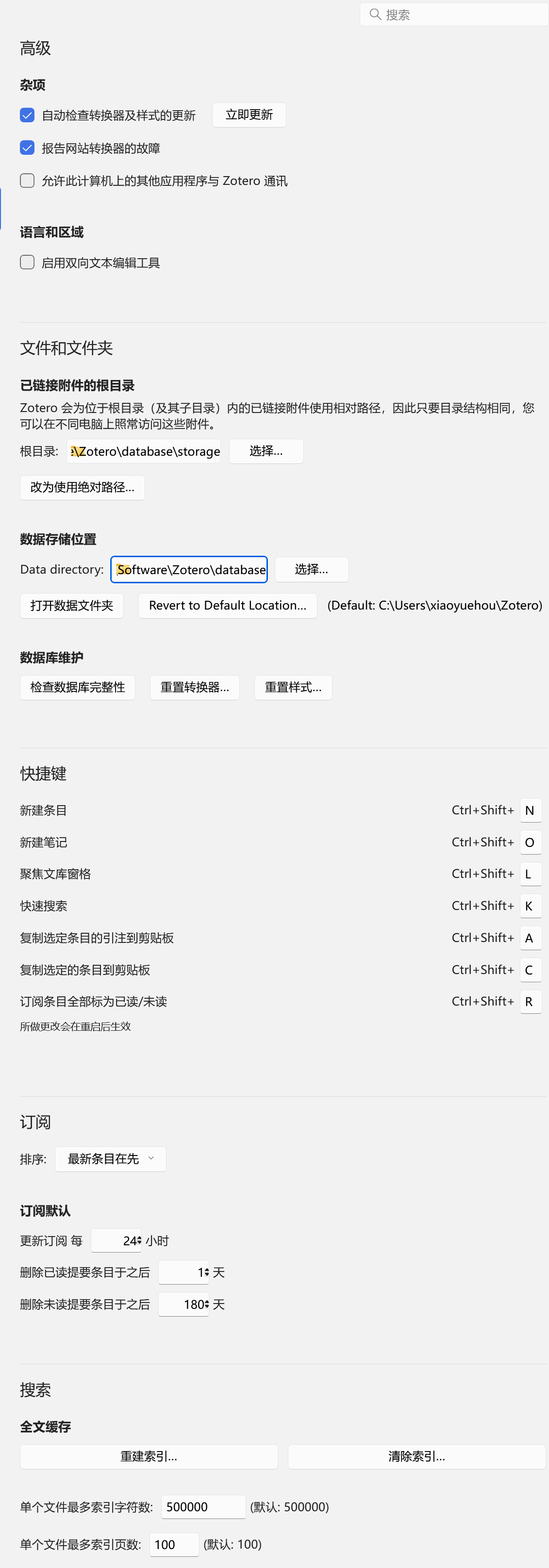
1、Zotero与Onedrive联动
mklink /j “C:\Users\Lenovo\Zotero\storage” “F:\OneDrive\Zotero\storage”
2、常规中自定义文件名格式:
(1)规范ISO日期——脚本
规范化所有日期为ISO格式:2010-08-06。需要在工具→开发者→执行Java script中的>下输入以下脚本执行。
var items = ZoteroPane.getSelectedItems();
var count = 0;

for (let item of items) {
    if (!item.isRegularItem()) continue;
    let oldDate = item.getField('date');
    if (!oldDate) continue;

    let newDate = "";

    // 1. 优先处理图片中出现的 "MM/YYYY" 或 "M/YYYY" 反向格式 (如 06/2013, 10/2016)
    let reverseMatch = oldDate.match(/^(\d{1,2})[\/\-\.](\d{4})$/);
    if (reverseMatch) {
        let month = reverseMatch[1].padStart(2, '0');
        let year = reverseMatch[2];
        newDate = year + "-" + month;
    } else {
        // 2. 使用 Zotero 原生引擎处理标准顺序但格式凌乱的日期 (如 2018-10-1, 2012/5/29)
        let parsedDate = Zotero.Date.strToDate(oldDate);
        if (parsedDate.year) {
            newDate = parsedDate.year.toString();
            // 如果原始数据包含月份,则补零统一
            if (parsedDate.month !== undefined) {
                let month = (parsedDate.month + 1).toString().padStart(2, '0');
                newDate += "-" + month;
                // 如果原始数据包含日期,则补零统一
                if (parsedDate.day !== undefined) {
                    let day = parsedDate.day.toString().padStart(2, '0');
                    newDate += "-" + day;
                }
            }
        }
    }

    // 3. 执行物理更新
    if (newDate && newDate !== oldDate) {
        // 只有在真正有变化时才保存,确保不破坏 Zotero 的同步逻辑
        item.setField('date', newDate);
        await item.saveTx();
        count++;
    }
}
return "【执行完毕】\n共扫描条目:" + items.length + " 条\n成功格式化:" + count + " 条凌乱日期";
(2)命名加评级——脚本
若想加上评级,需要在工具→开发者→error console中的>下输入以下脚本,并回车
(async () => {
    let items = await Zotero.Items.getAll(Zotero.Libraries.userLibraryID);
    let changedCount = 0;
    for (let item of items) {
        if (item.isAttachment()) continue;

        let tags = [];
        if (typeof item.getTags === "function") {
            tags = item.getTags().map(t => typeof t === "string" ? t : t.tag);
        } else if (Array.isArray(item.tags)) {
            tags = item.tags;
        }

        let starTag = tags.find(t => t.match(/⭐+/));
        if (starTag) {
            let starMatch = starTag.match(/⭐+/);
            if (starMatch) {
                let hashes = "#".repeat(starMatch[0].length);
                item.setField('seriesText', hashes);
                await item.saveTx();
                console.log(`条目 "${item.getField("title")}" (${item.key}) seriesText字段覆盖为: ${hashes}`);
                changedCount++;
            }
        }
    }
    console.log(`执行完毕,共覆盖写入${changedCount}个seriesText字段`);
})();
⭐:非常一般
⭐⭐:还行,基本用不上
⭐⭐⭐:还行的工作,可能能用上
⭐⭐⭐⭐:很有意义的工作,值得借鉴学习
⭐⭐⭐⭐⭐:和我做的非常相关
(3)命名格式
这样所有的评级都会写入父条目的seriesText字段,这样的Zotero命名格式要设置成以下:
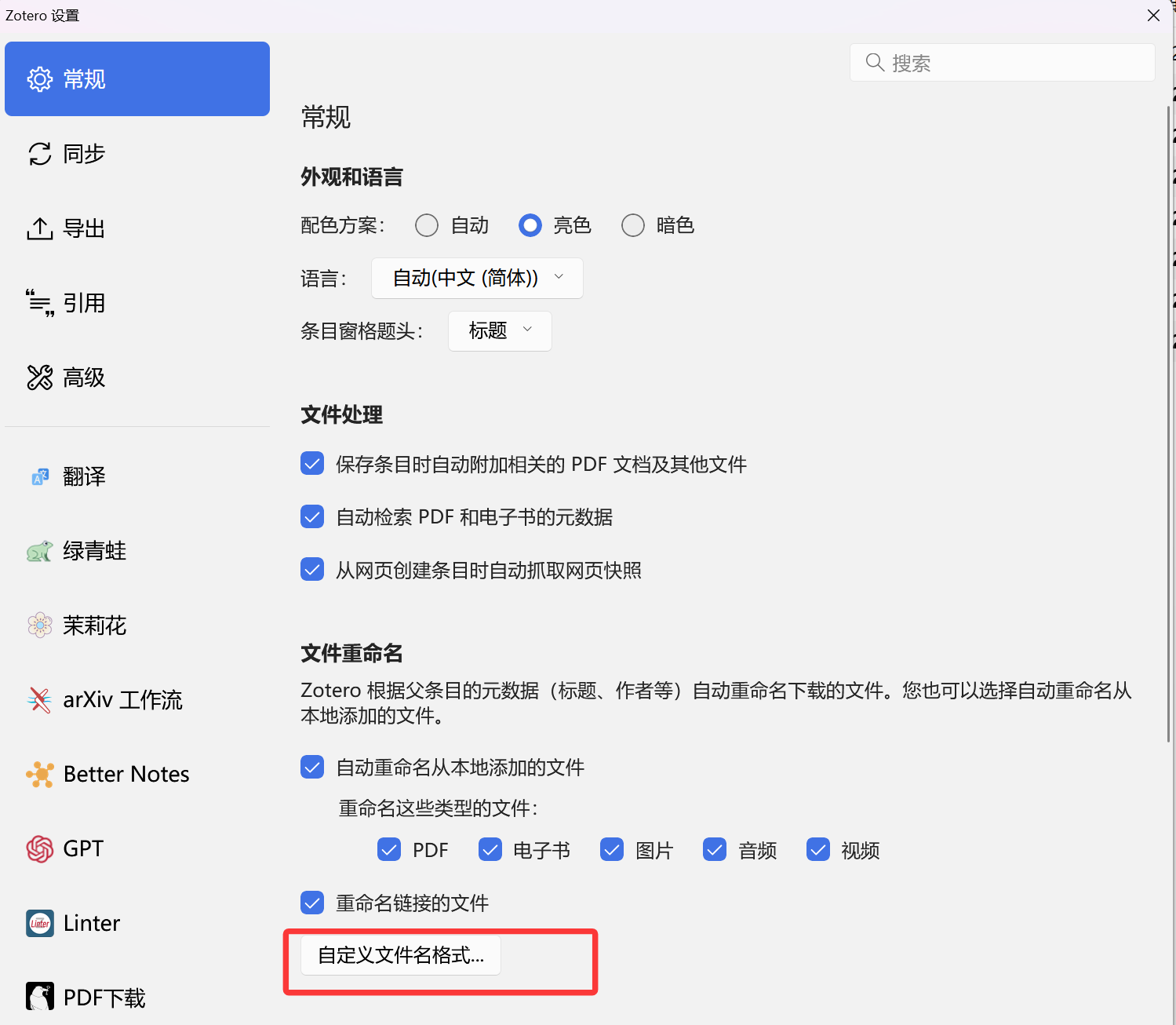
{{seriesText}}
{{ year suffix="_"}}
{{ title truncate="200" }}
{{if journalAbbreviation}}({{journalAbbreviation}}){{endif}}
{{if firstCreator}}_{{endif}}
{{if language == "zh"}}{{firstCreator}}
{{elseif language =="zh-CN"}}{{firstCreator}}
{{else}}{{creators name="family-given" max="1" suffix=" et al"}}
{{ endif }}
评级修改后本来是应该选中子条目,然后按父级元数据命名,但是这样很麻烦,所以可以尝试全选父条目,右击Zotmoov移动到预设目录,这样应该也可以一起改名
tips:{ date suffix=”_” replaceFrom=”,” replaceTo=”-“ regexOpts=”g” }
3、基础设置
(1)常规
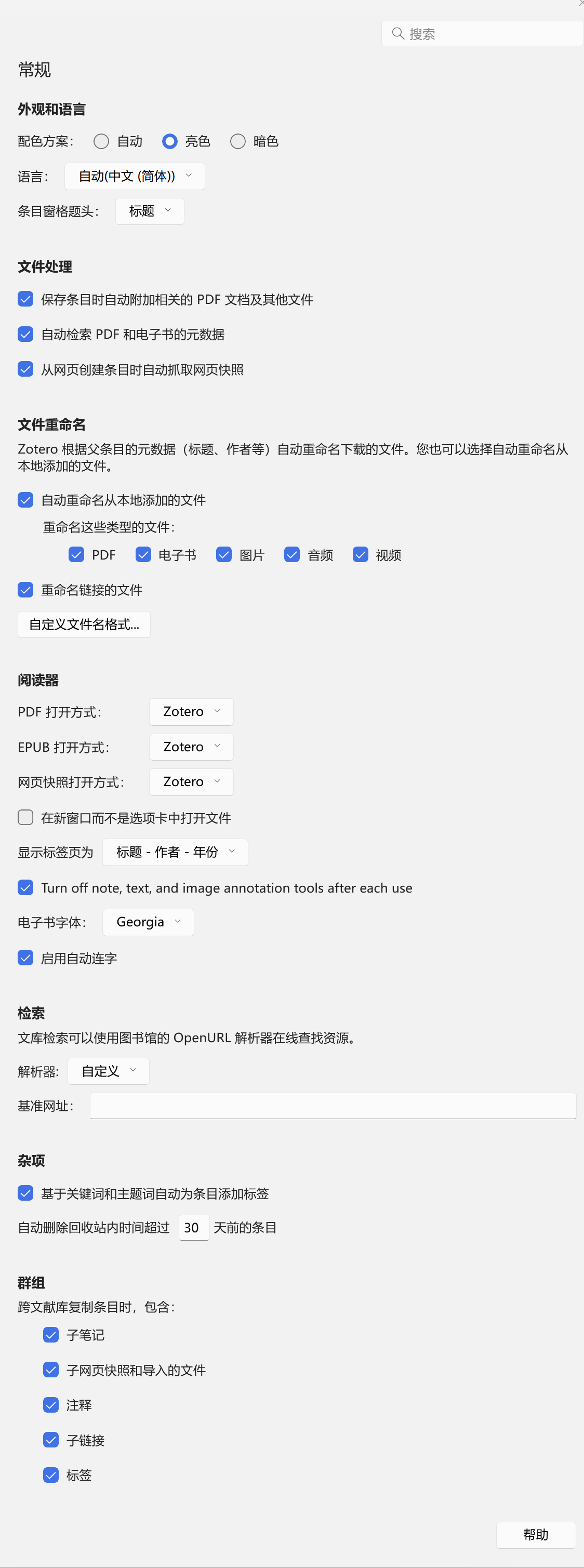
(2)同步
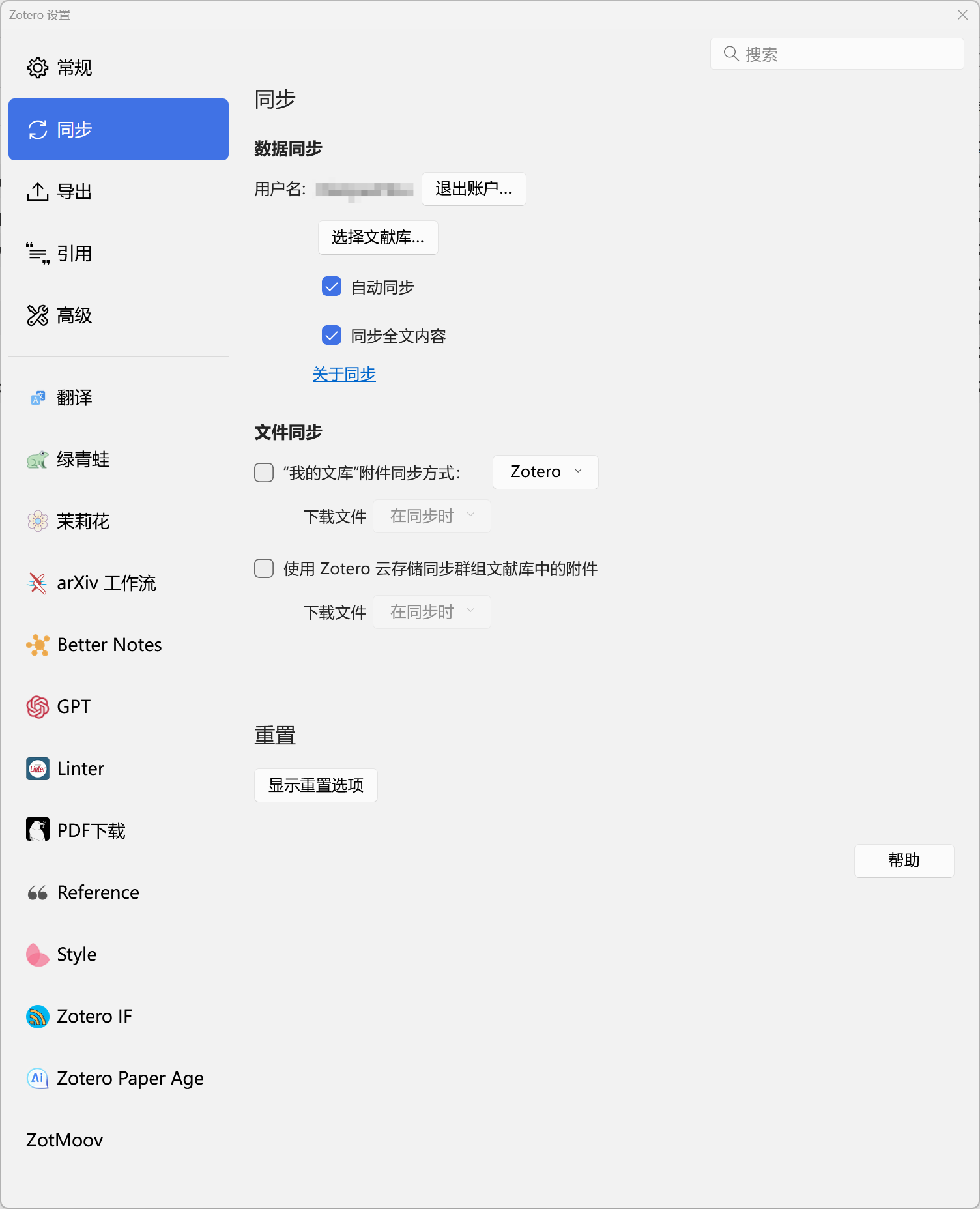
(3)引用
选好格式在写初稿的时候插入word
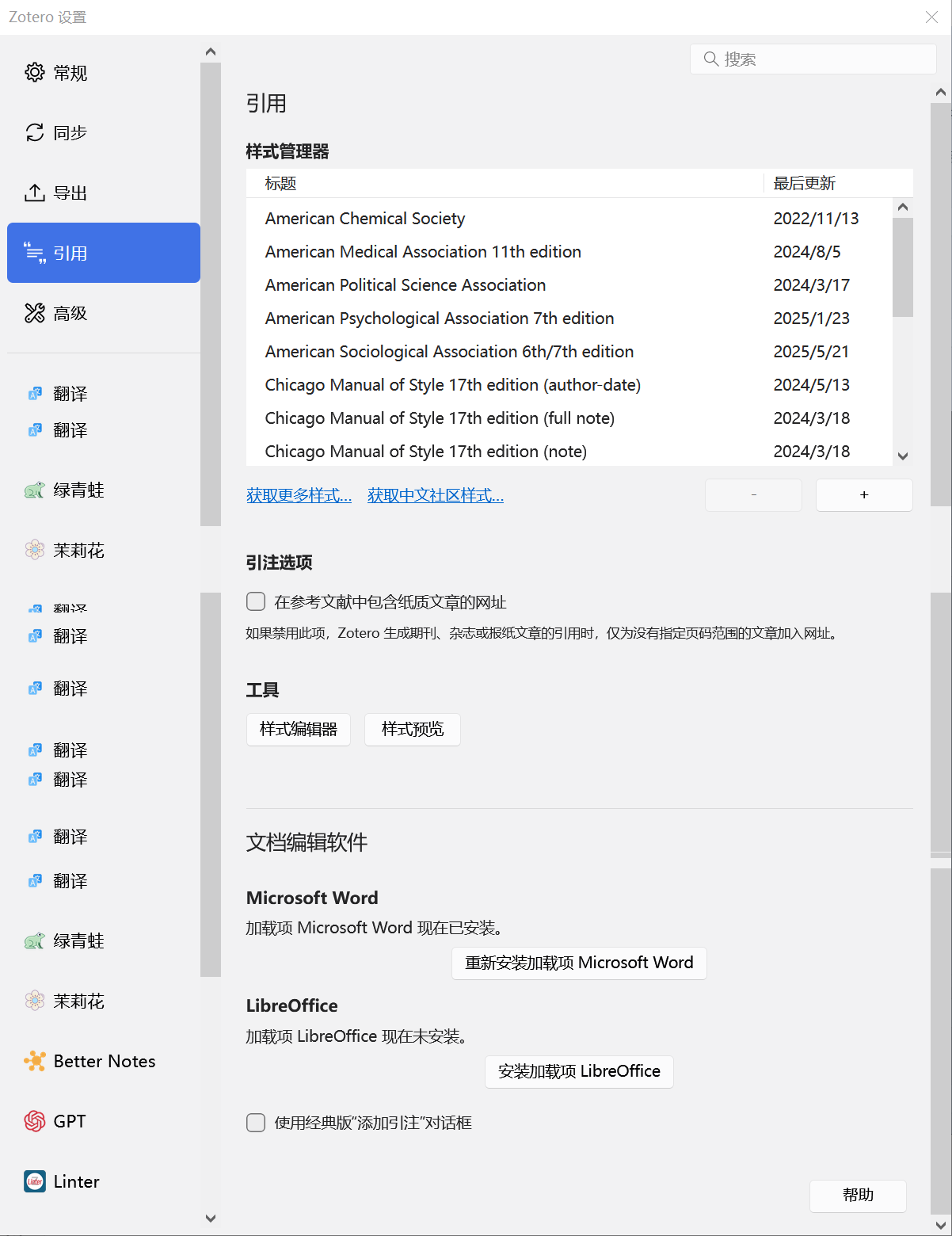
(4)高级
(5)订阅
① Cities
https://rss.sciencedirect.com/publication/science/02642751
② Computers, Environment and Urban Systems
https://rss.sciencedirect.com/publication/science/01989715
③ Habitat International
https://rss.sciencedirect.com/publication/science/01973975
④ Interface
https://royalsocietypublishing.org/rss/site_1000019/1000012.xml
⑤ Nature
https://www.nature.com/nature.rss
⑥ Nature Cities
https://www.nature.com/natcities.rss
⑦ Nature Communications
http://feeds.nature.com/ncomms/rss/current
⑧ Nature Computational Science
https://www.nature.com/natcomputsci.rss
⑨ Nature Human Behaviour
http://feeds.nature.com/nathumbehav/rss/current
⑩ Nature Physics
https://www.nature.com/nphys.rss
⑪Nature Scientific Data
https://www.nature.com/sdata.rss
⑫ Nature Sustainability
https://www.nature.com/natsustain.rss
⑬ npj Urban Sustainability
https://www.nature.com/npjurbansustain.rss
⑭ PNAS: Physical Sciences
https://www.pnas.org/action/showFeed?type=searchTopic&taxonomyCode=topic&tagCode=phys-sci
⑮ PNAS: Social Sciences
https://www.pnas.org/action/showFeed?type=searchTopic&taxonomyCode=topic&tagCode=soc-sci
⑯ Science Advances
https://www.science.org/action/showFeed?type=etoc&feed=rss&jc=sciadv
⑰ Scientific Reports
https://www.nature.com/srep.rss
⑱ Sustainable Cities and Society
https://rss.sciencedirect.com/publication/science/22106707
⑲Travel Behaviour and Society
https://rss.sciencedirect.com/publication/science/2214367X
二、Zotero插件
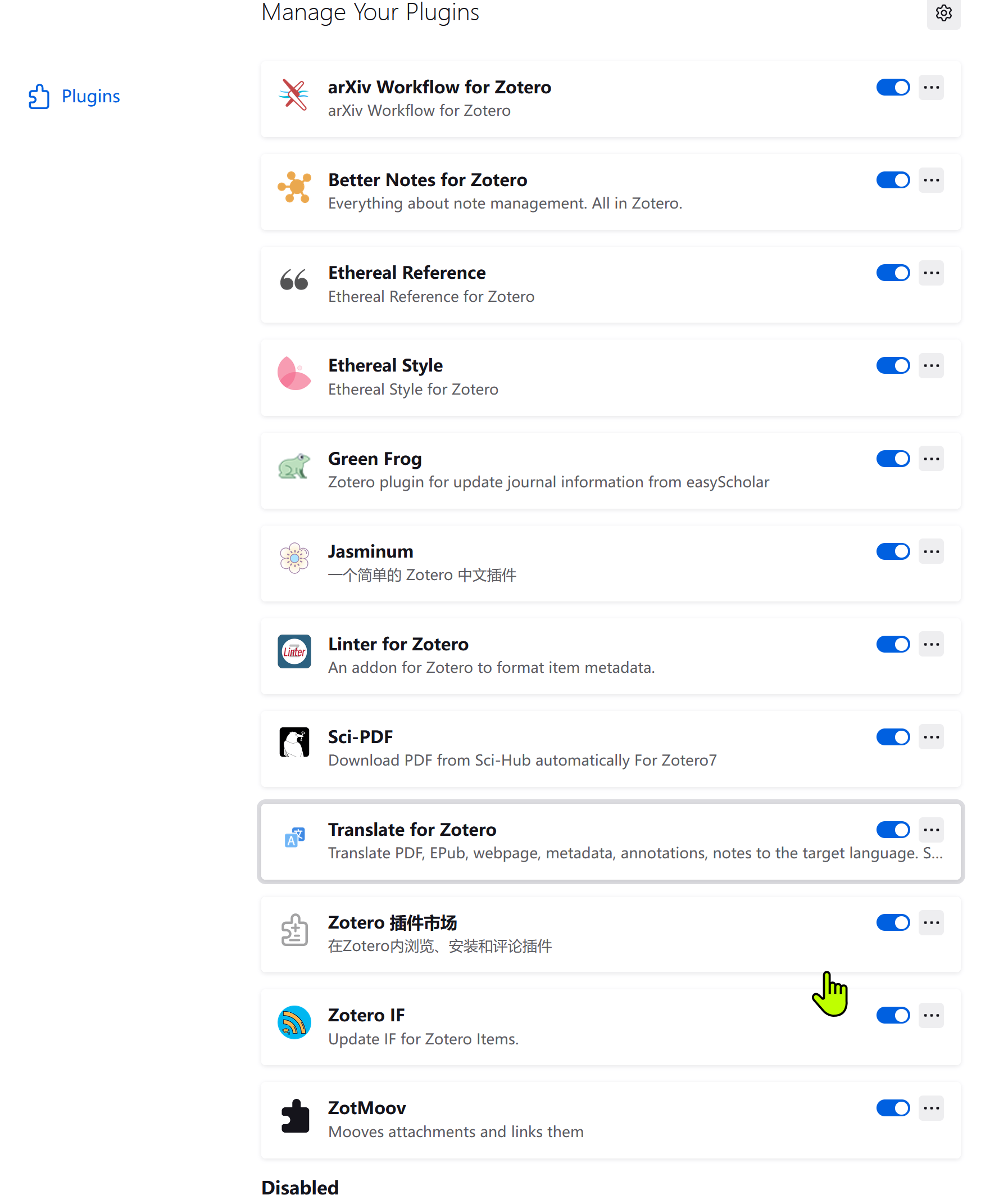
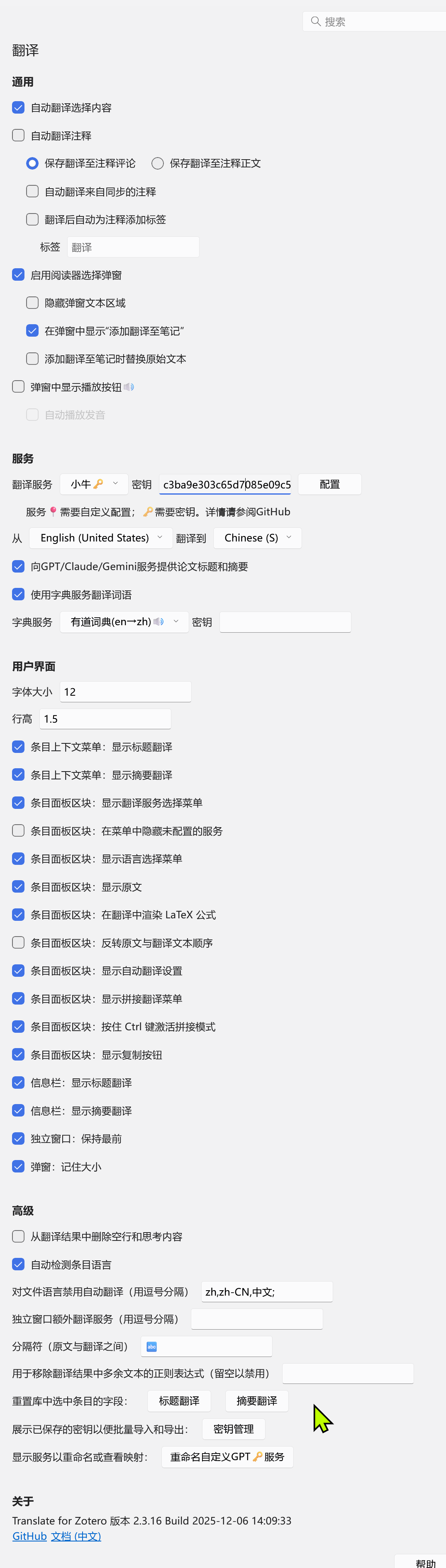
1、翻译
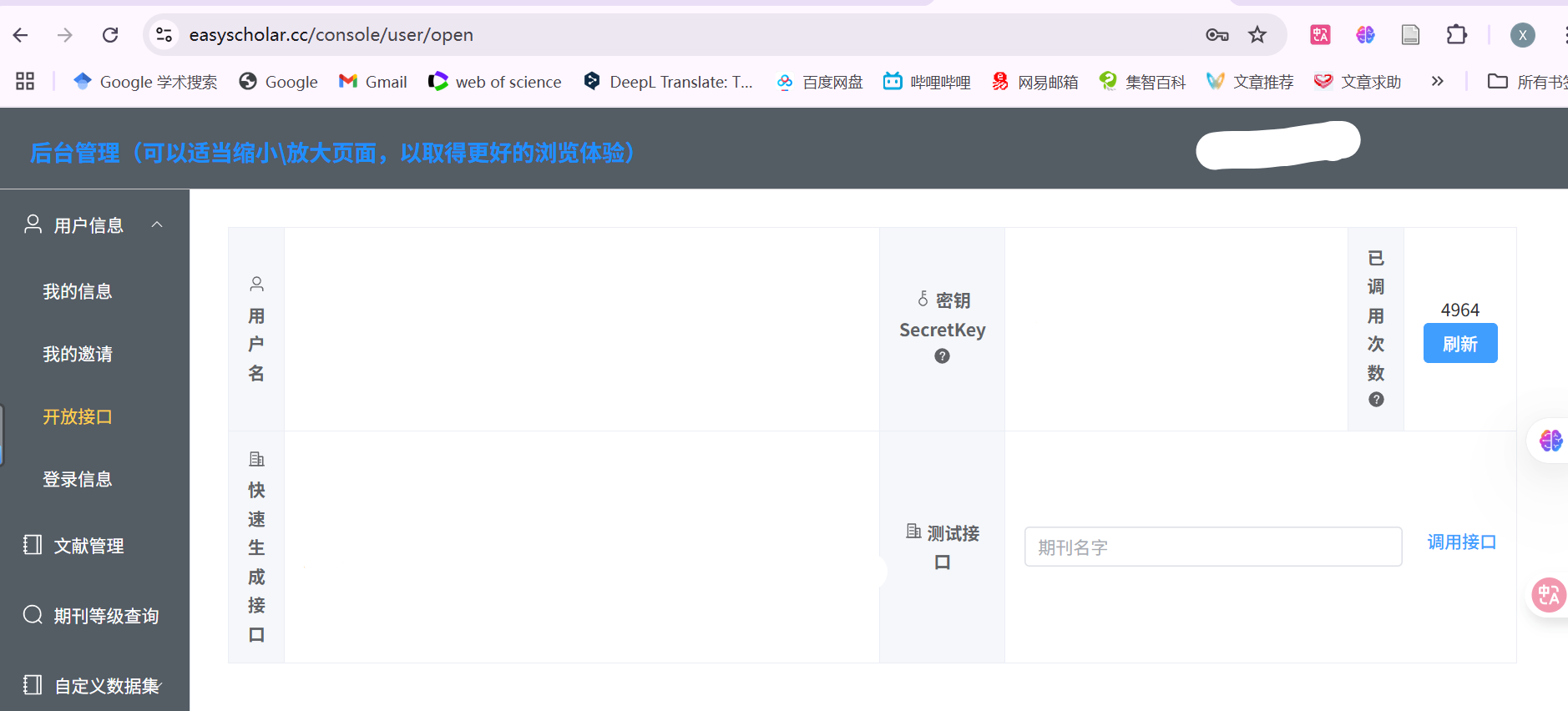
2、绿青蛙
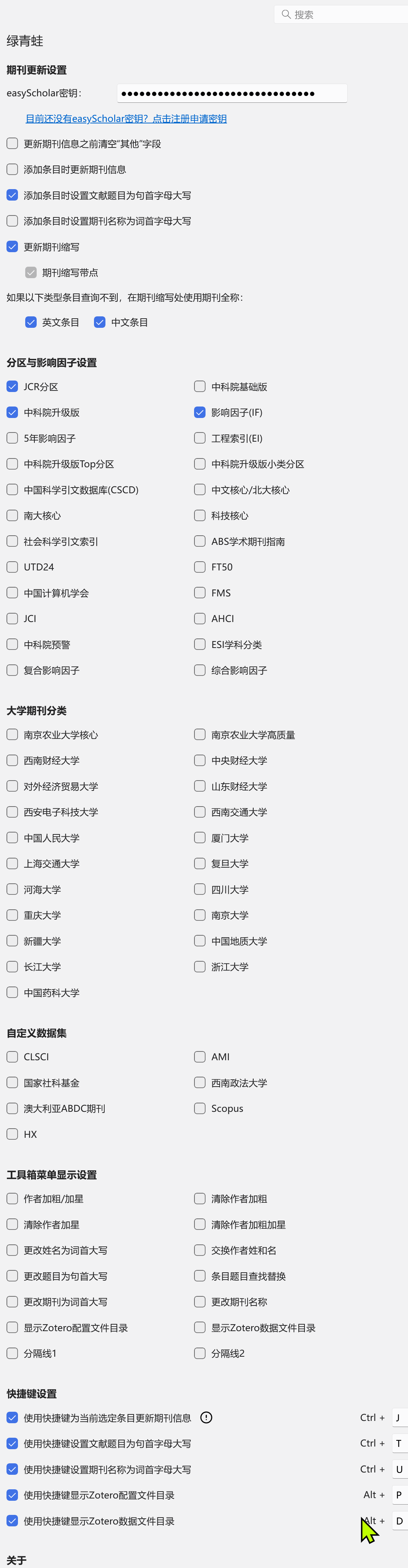
easyscholar网址:[https://www.easyscholar.cc/
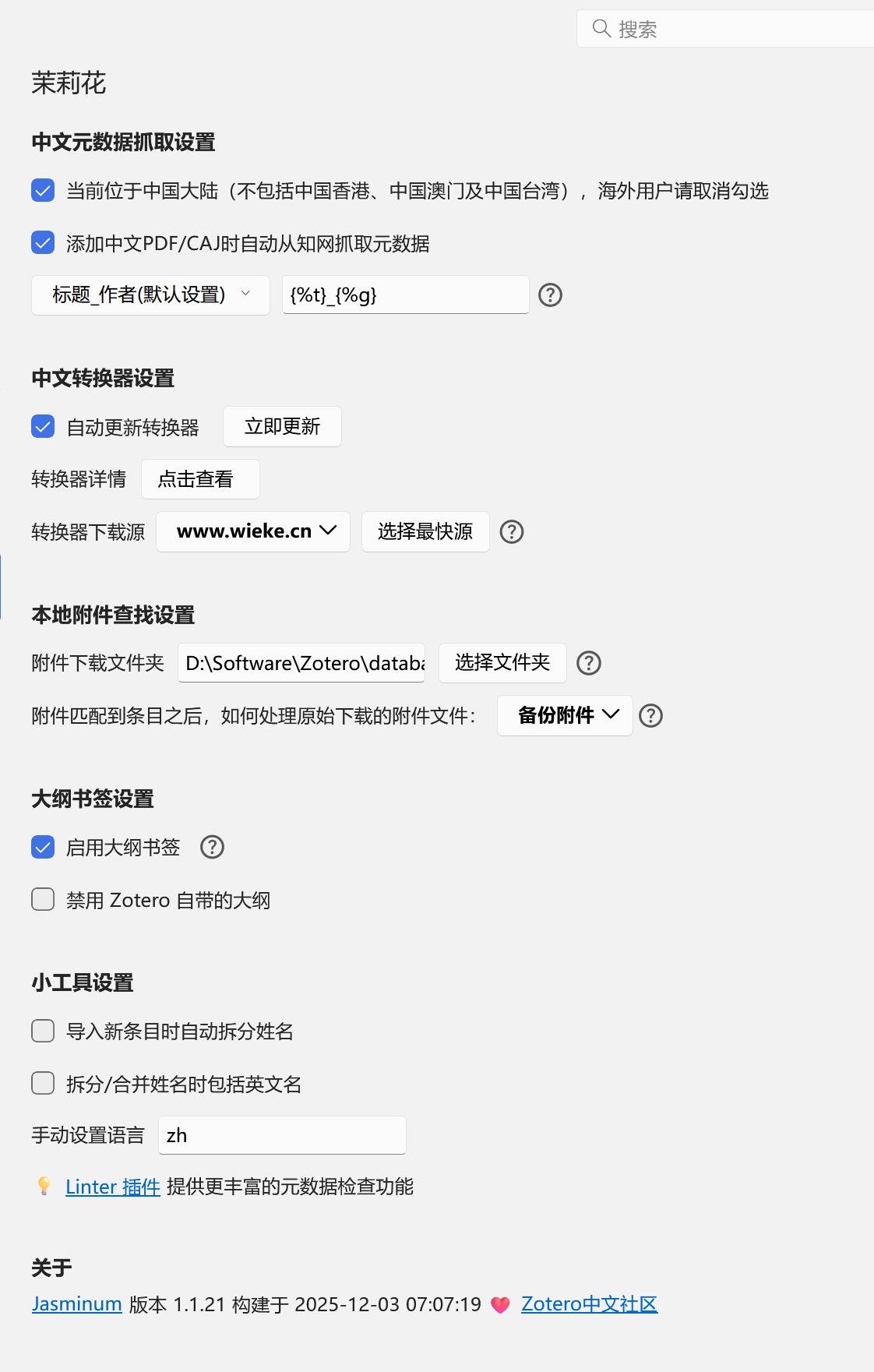
3、茉莉花
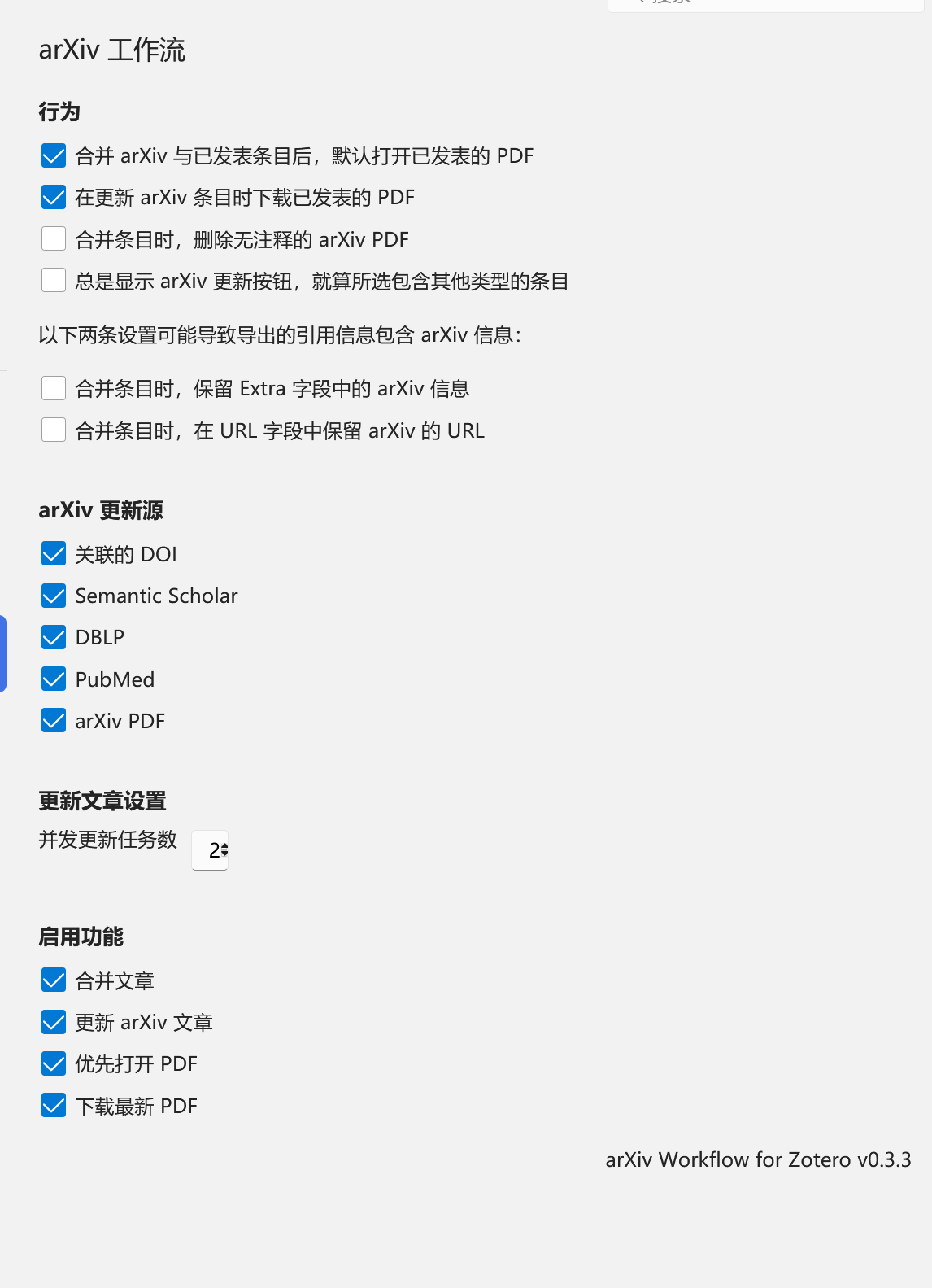
4、arXiv工作流
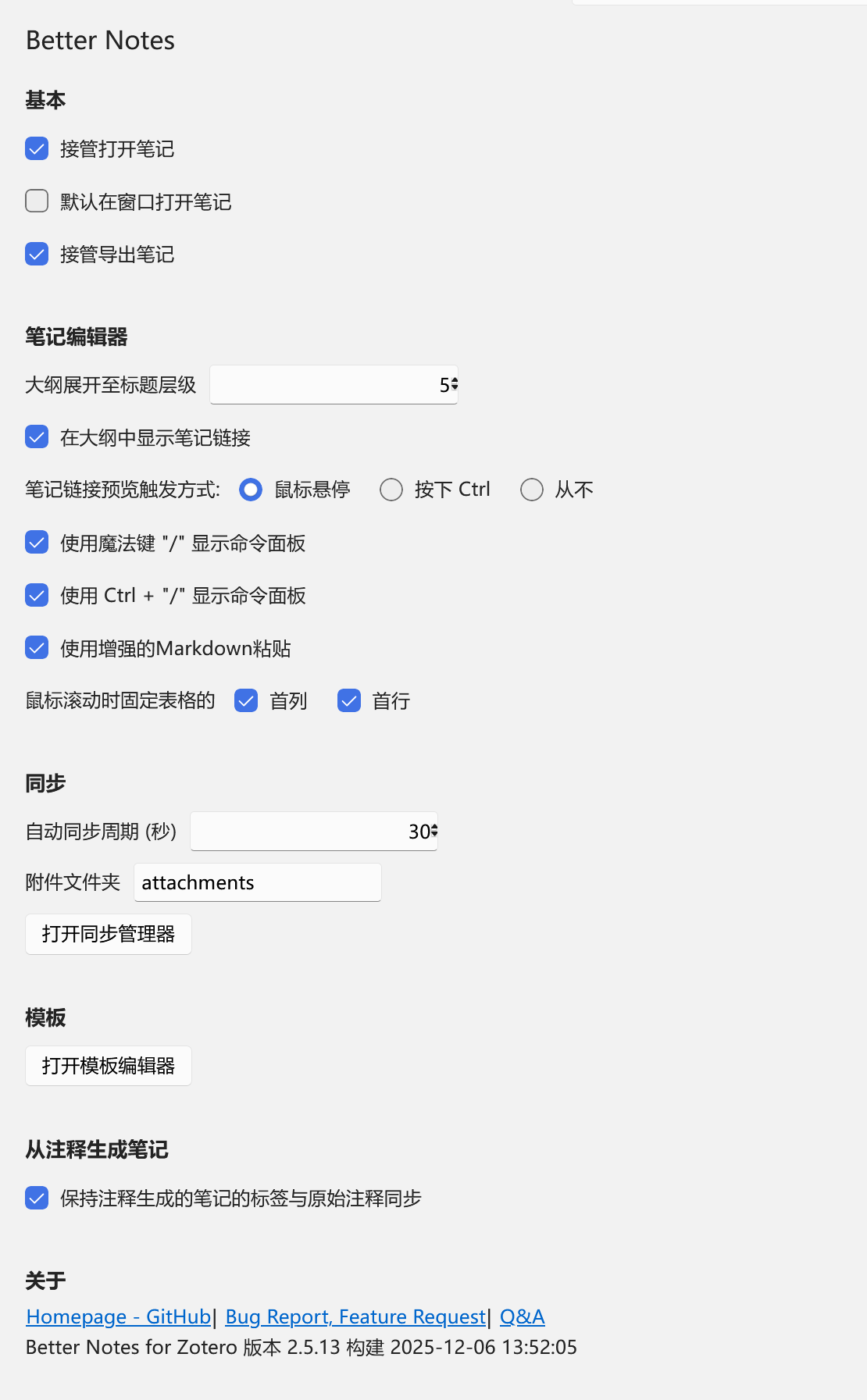
5、Better Notes
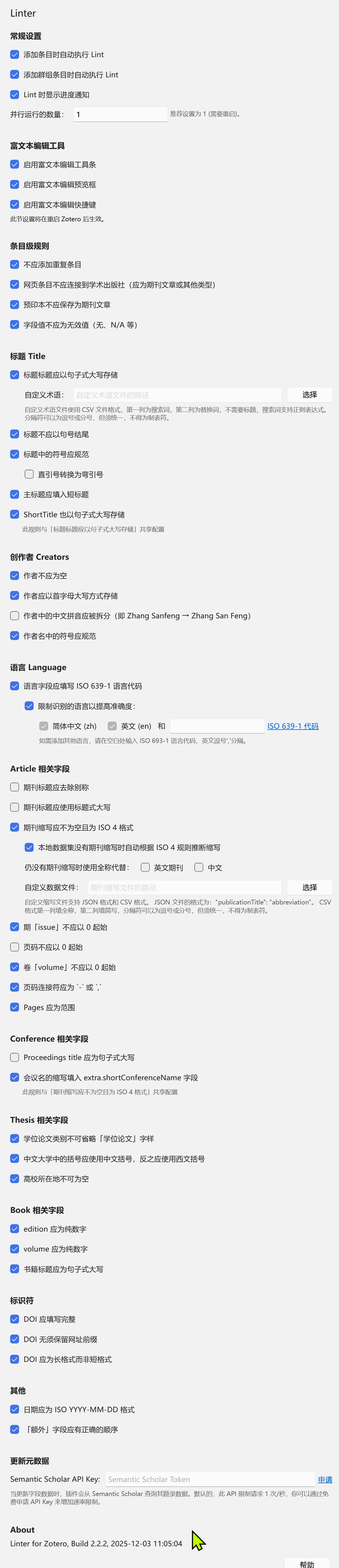
6、Linter
7、PDF下载

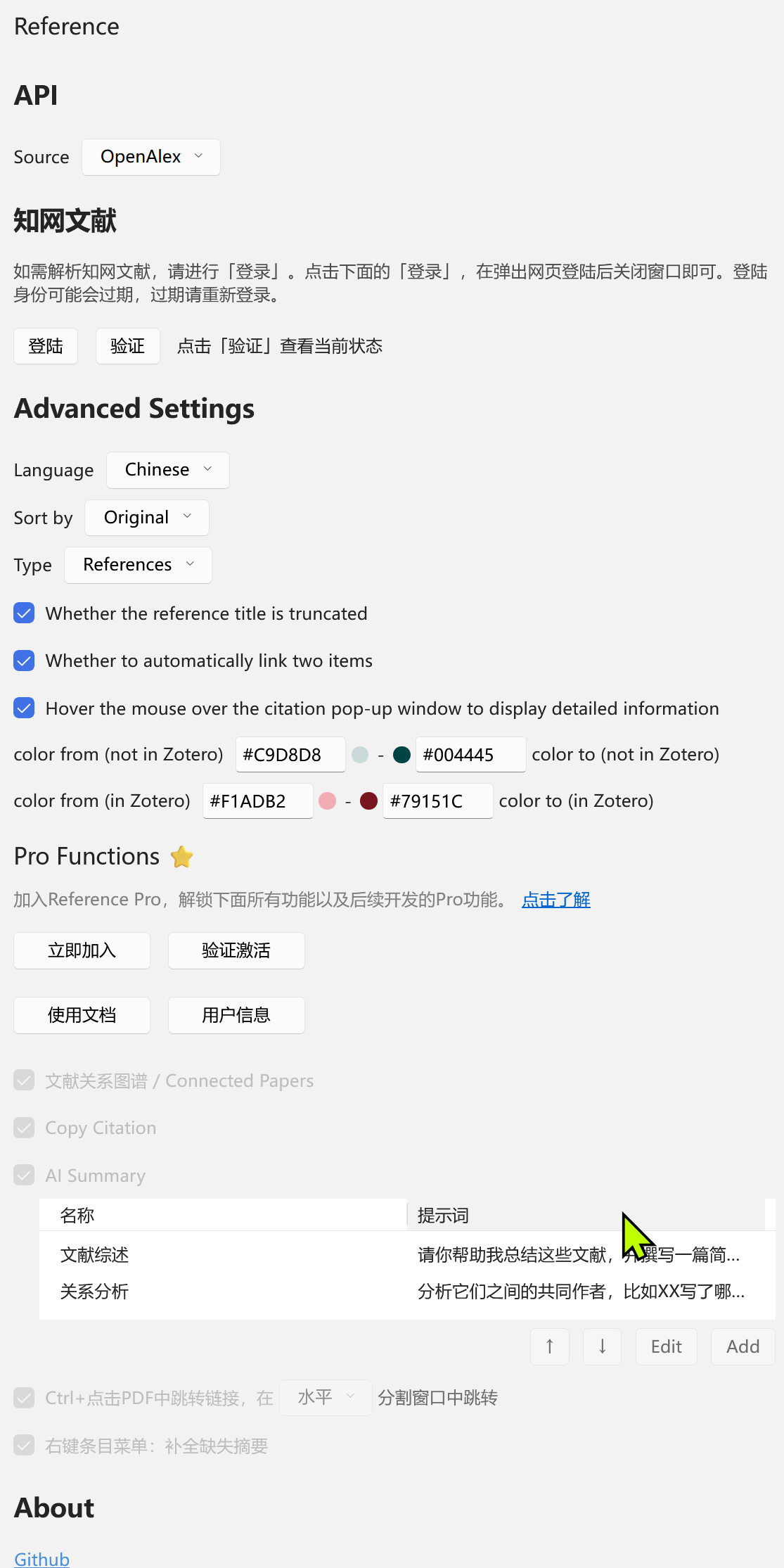
7、Reference
8、Style

(1) 视图
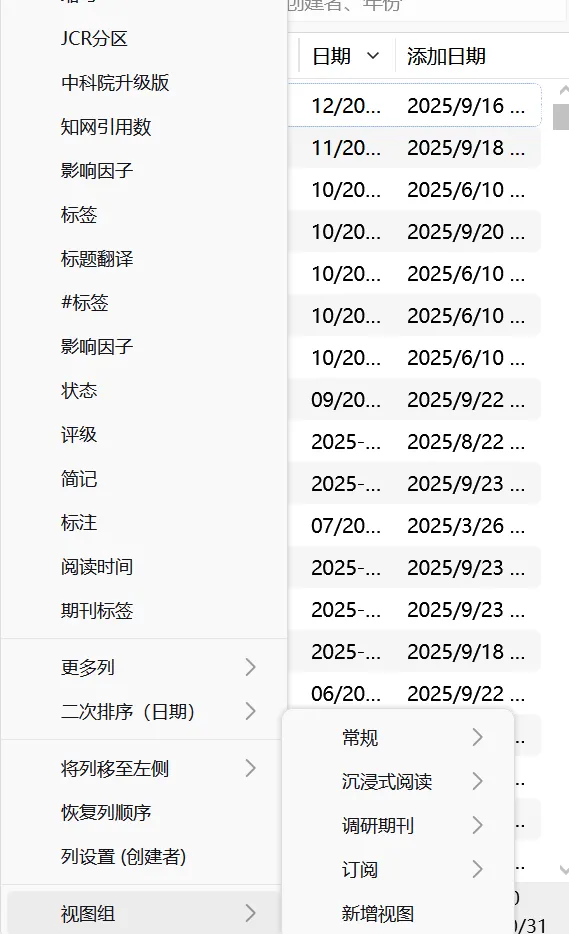

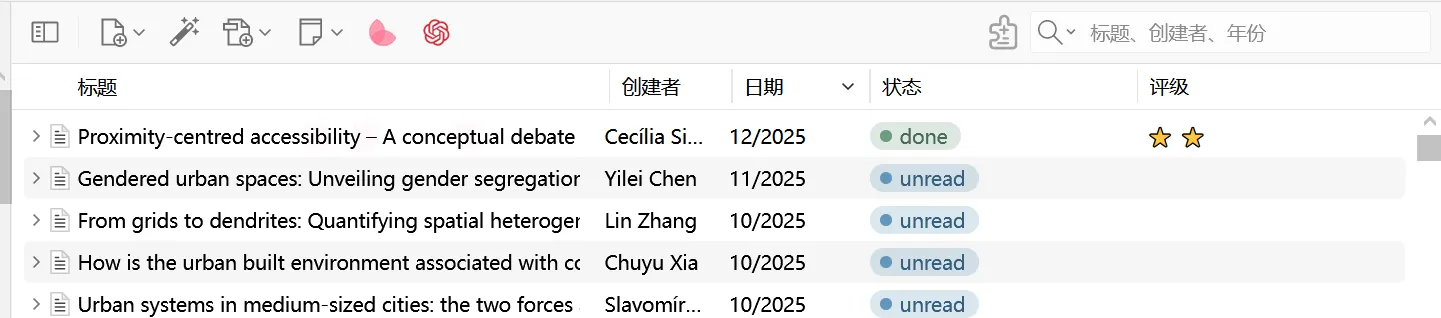
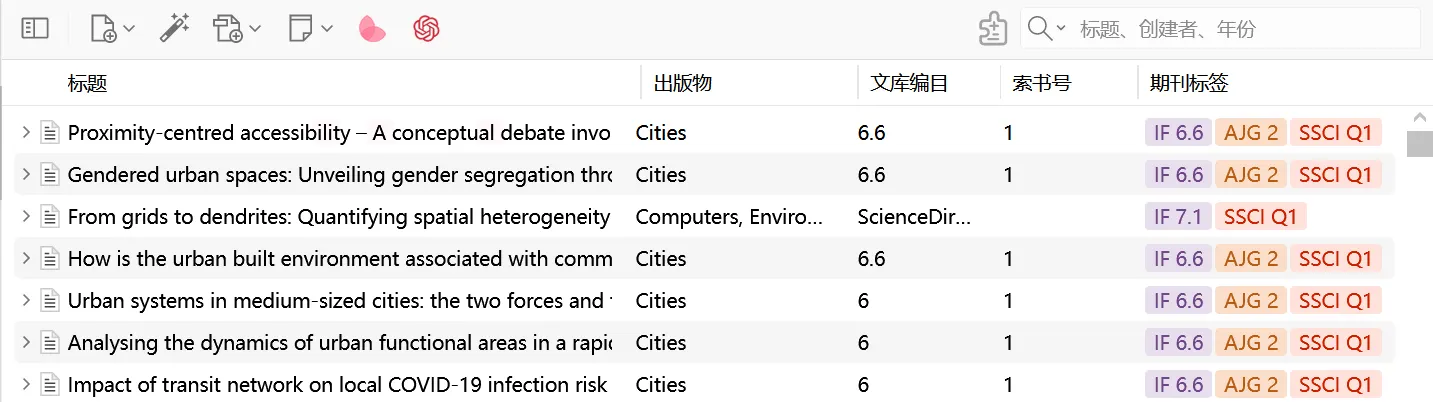
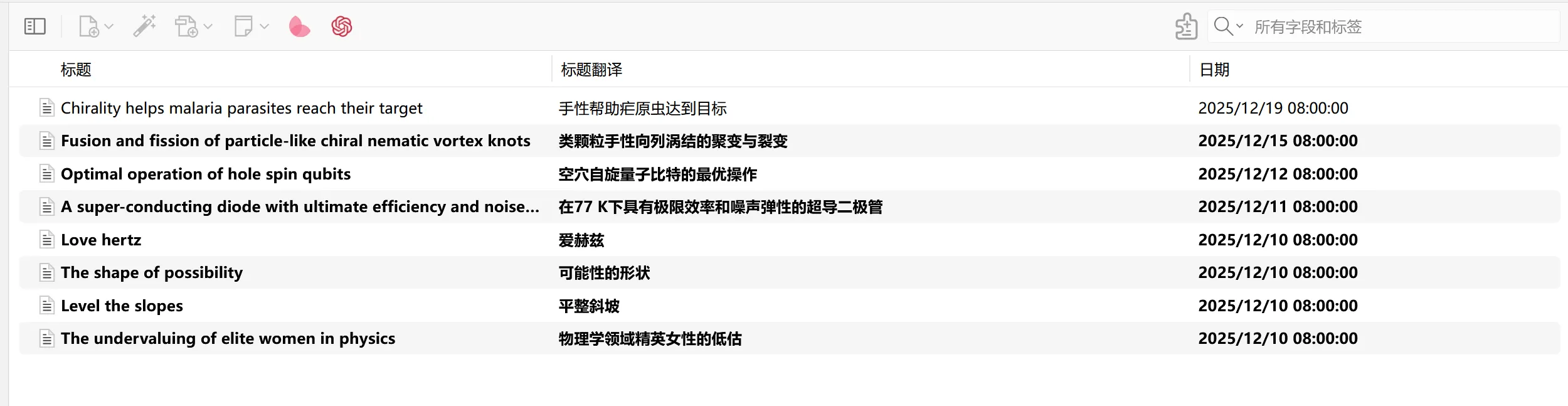
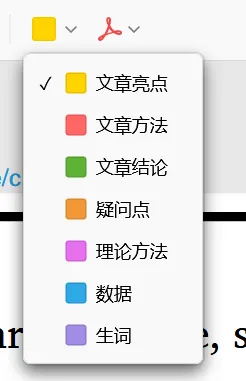
在阅读页面按shift+p,标注所有颜色的label

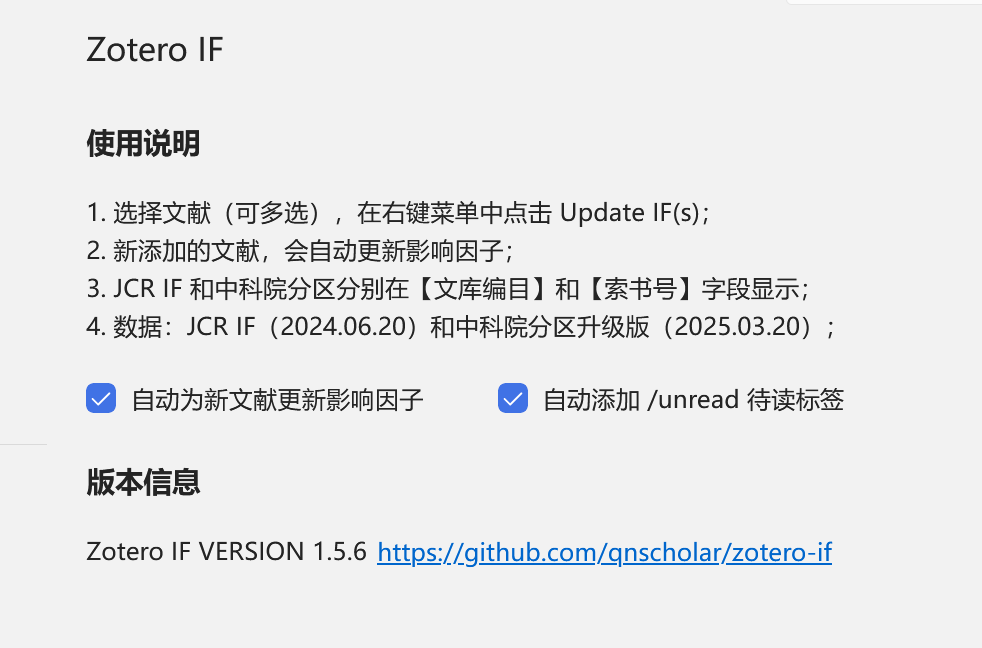
9、Zotero IF
10、ZotMoov
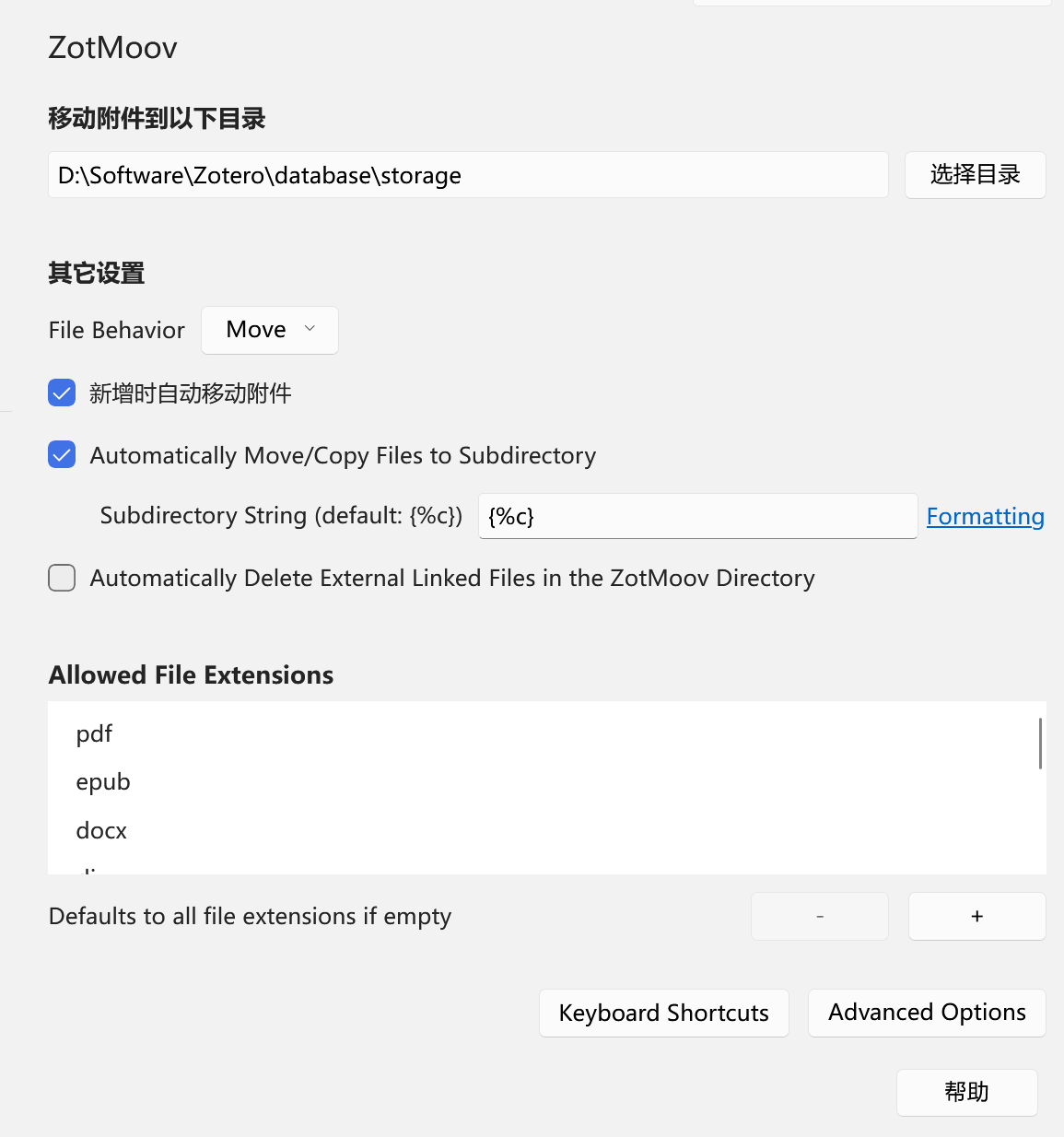
注意:这里的添加格式:pdf、epub、docx、doc、djvu、html、xlsx、mp4、pptx
11、笔记模板——进去新建条目
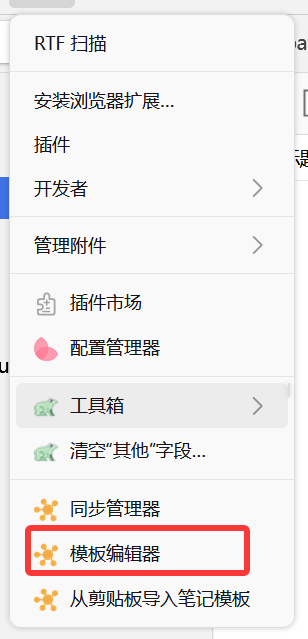
(1)PaperNote
<!-- Title -->
<h1 style="color:#193c47; background-color:#eef9fd; padding:8px;">
${(() => {
const date = topItem.getField("date").split('T')[0];
const title = topItem.getField("title");
const titleTranslation = topItem.getField("titleTranslation");
if (date && titleTranslation) {
return `(${date}) ${title} (${titleTranslation})`;
} else if (date) {
return `(${date}) ${title}`;
} else {
return `${title}`;
}
})()}
</h1>
<!-- Meta Data -->
<table>
<!-- Author -->
<tr>
<td style="color:#193c47; background-color:#dbeedd; padding:8px;">
<b>Author:</b> ${topItem.getCreators().slice(0, 10).map((v) => v.firstName + " " + v.lastName).join("; ") + (topItem.getCreators().length > 10 ? "; et al." : ";")}
</td>
</tr>
<!-- Journal -->
<tr>
<td style="color:#193c47; background-color:#f3faf4; padding:8px;">
<b style="color:#193c47;">Journal:
<b style="color:#FF0000">
${topItem.getField('publicationTitle')},
</b>
${(()=>{
const volume = topItem.getField('volume');
const issue = topItem.getField('issue');
const pages = topItem.getField('pages');
const year = topItem.getField('date').split('-')[0];
let line = "";
if (volume) {
line += volume;
if (issue) {
line += '(' + issue + ')';
line += pages ? ": " + pages + "," : ","
} else {
line += pages ? ": " + pages + "," : ","
}
} else if (issue) {
line += '(' + issue + ')';
line += pages ? ": " + pages : ","
} else {
line += pages ? pages + "," : ""
}
line += year ? " " + year + "." : "";
return line;
})()}
</b>
</td>
</tr>
<!-- Journal Tags -->
<tr>
<td style="color:#193c47; background-color:#dbeedd; padding:8px;">
<b>Journal Tags: </b>
<!-- In Zotero7, the tags of Ethereal Style plugin are referenced. Please install Ethereal Style in advance. -->
${{
let space = " ㅤㅤ ㅤㅤ"
return Array.prototype.map.call(
Zotero.ZoteroStyle.api.renderCell(topItem, "publicationTags").childNodes,
e => {
e.innerText = space + e.innerText + space;
return e.outerHTML
}
).join(space)
}}$
</td>
</tr>
<!-- Local Link -->
<tr>
<td style="color:#193c47; background-color:#f3faf4; padding:8px;">
${(() => {
const attachments = Zotero.Items.get(topItem.getAttachments());
const pdf = attachments.filter((i) => i.isPDFAttachment());
if (pdf && pdf.length > 0) {
return `<b>Local Link: </b><a href="zotero://open-pdf/0_${pdf[0].key}">${pdf[0].getFilename()}</a>`;
} else if (attachments && attachments.length > 0) {
return `<b>Local Link: </b><a href="zotero://open-pdf/0_${attachments[0].key}">${attachments[0].getFilename()}</a>`;
} else {
return `<b>Local Link: </b>`;
}
})()}
</td>
</tr>
<!-- DOI or URL -->
<tr>
<td style="color:#193c47; background-color:#dbeedd; padding:8px;">
${(() => {
const doi = topItem.getField("DOI");
if (doi) {
return `<b>DOI: </b><a href="https://doi.org/${topItem.getField('DOI')}">${topItem.getField('DOI')}</a>`;
} else {
return `<b>URL: </b><a href="${topItem.getField('url')}">${topItem.getField('url')}</a>`;
}
})()}
</td>
</tr>
<!-- Abstract -->
<tr>
<td style="color:#193c47; background-color:#f3faf4; padding:8px;">
${(() => {
const abstractTranslation = topItem.getField('abstractTranslation');
if (abstractTranslation) {
return `<b>Abstract Translation: </b><i>${abstractTranslation}</i>`;
} else {
return `<b>Abstract: </b><i>${topItem.getField('abstractNote')}</i>`;
}
})()}
</td>
</tr>
<!-- Tags -->
<tr>
<td style="color:#193c47; background-color:#dbeedd; padding:8px;">
<!-- Filter and display tags starting with # -->
<b>Tags:</b> ${topItem.getTags().map(tagObj => tagObj.tag.startsWith('#') ? tagObj.tag + ' ,':'').join(' ') || ''}
</td>
</tr>
<!-- Note Date -->
<tr>
<td style="color:#193c47; background-color:#f3faf4; padding:8px;">
<b>Note Date: </b>${new Date().toLocaleString()}
</td>
</tr>
</table>
<!-- Main Content -->
<span>
<hr />
<h2 style="color:#e0ffff; background-color:#66cdaa;">📜 Research Content</h2>
</span>
<p></p>
<h3>💧 Data</h3>
<p></p>
<h3>👩🏻💻 Method</h3>
<p></p>
<h3>⚙️ Content</h3>
<p></p>
<h3>📜 Conclusion</h3>
<p></p>
<span>
<hr />
<h2 style="color:#20b2aa; background-color:#afeeee;">🔁 Research Core</h2>
</span>
<p></p>
<h3>💡 Innovations</h3>
<p></p>
<h3>🧩 Shortcomings</h3>
<p></p>
<h3>📌 To be resolved</h3>
<p></p>
<span>
<hr />
<h2 style="color:#004d99; background-color:#87cefa;">🤔 Personal Summary</h2>
</span>
<p></p>
<h3>🙋♀️ Key Records</h3>
<p></p>
<h3>💭 Thought Inspiration</h3>
<p></p>(2)PaperItem
<!-- Meta Data -->
<table>
  <!-- Title -->
  <tr>
    <td style="color:#193c47; background-color:#BAD8B6; padding:8px;">
      <b>Title:</b> ${(() => {
    const year = topItem.getField("year").split('T')[0];
    const title = topItem.getField("title");

    // 提取标签中的星号评级,如果没有则为空
    let stars = "";
	let tagList = topItem.getTags().map(t => typeof t === "string" ? t : t.tag);
	let starTag = tagList.find(tag => tag.includes("⭐"));
	if (starTag) {
		let match = starTag.match(/⭐+/);
		stars = match ? match[0].replace(/⭐/g, "#") : "";
	}


    if (year) {
        return stars ? `${stars}${year}_${title}` : `${year}_${title}`;
    } else {
        return stars ? `${stars}${title}` : `${title}`;
    }
})()}
    </td>
  </tr>

  <!-- Author -->
  <tr>
    <td style="color:#193c47; background-color:#f3faf4; padding:8px;">
      <b>Author:</b> ${topItem.getCreators().slice(0, 10).map((v) => v.firstName + " " + v.lastName).join("; ") + (topItem.getCreators().length > 10 ? "; et al." : ";")}
    </td>
  </tr>

  <!-- Journal -->
  <tr>
    <td style="color:#193c47; background-color:#dbeedd; padding:8px;">
      <b style="color:#193c47;">Journal:</b>
        ${topItem.getField('publicationTitle')},

      ${(()=>{
        const volume = topItem.getField('volume');
        const issue = topItem.getField('issue');
        const pages = topItem.getField('pages');
        const year = topItem.getField('date').split('-')[0];
        let line = "";
        if (volume) {
          line += volume;
          if (issue) {
            line += '(' + issue + ')';
            line += pages ? ": " + pages + "," : ","
          } else {
            line += pages ? ": " + pages + "," : ","
          }
        } else if (issue) {
          line += '(' + issue + ')';
          line += pages ? ": " + pages : ","
        } else {
          line += pages ? pages + "," : ""
        }
        line += year ? " " + year + "." : "";
        return line;
      })()}
      </b>
    </td>
  </tr>

  <!-- Journal Tags -->
  <tr>
    <td style="color:#193c47; background-color:#f3faf4; padding:8px;">
      <b>Journal Tags:</b>
      <!-- In Zotero7, the tags of Ethereal Style plugin are referenced. Please install Ethereal Style in advance. -->
      ${{
      let space = "ㅤ"
      return Array.prototype.map.call(
        Zotero.ZoteroStyle.api.renderCell(topItem, "publicationTags").childNodes,
        e => {
          e.innerText =  space + e.innerText + space;
          return e.outerHTML
        }
        ).join("; ㅤ")
      }}$
    </td>
  </tr>


  <!-- DOI or URL -->
  <tr>
    <td style="color:#193c47; background-color:#dbeedd; padding:8px;">
      ${(() => {
        const doi = topItem.getField("DOI");
        if (doi) {
          return `<b>DOI:</b><a href="https://doi.org/${topItem.getField('DOI')}">${topItem.getField('DOI')}</a>`;
        } else {
          return `<b>URL:</b><a href="${topItem.getField('url')}">${topItem.getField('url')}</a>`;
        }
      })()}
    </td>
  </tr>

  <!-- Key Records -->
  <tr>
    <td style="color:#193c47; background-color:#f3faf4; padding:8px;">
      <b>Key Records:</b>
    </td>
  </tr>

  <!-- Tags -->
  <tr>
  <td style="color:#193c47; background-color:#dbeedd; padding:8px;">
    <!-- Filter and display tags starting with # -->
    <b>Tags:</b> ${topItem.getTags().map(tagObj => tagObj.tag.startsWith('#') ? tagObj.tag + ' ,':'').join(' ') || ''}
  </td>
  </tr>

  <!-- Note Date -->
  <tr>
    <td style="color:#193c47; background-color:#f3faf4; padding:8px;">
      <b>Note Date:</b>${new Date().toLocaleString()}
    </td>
  </tr>

</table>